Showing posts with label photography. Show all posts

Wednesday, March 7, 2012

Photography Giveaway

Anyone want to win a Free Photo Session? I do! Well head on over to see Julia Ryan's beautiful work and enter her giveaway.


And there are even extra chances to win!
Pin It!

Monday, January 2, 2012

RePost for Photo Challenge


Can't wait for all the cousins to get together and play with these!!!


 {This post was entered into the “Silly Holiday Photos” linky at I Heart Faces.)

Pin It!

Sunday, January 1, 2012

Let the creativity begin

A long time ago one of my favorite blogger twins Erika posted this pic of her daughter Sloane. (her sisters blog is here)
I have saved this picture as inspiration since I saw it on her blog. So now that is is 2011 2012 I finally get to put this to good use. I have a dear friend who had the ONLY sweet baby girl out all of us 5 mommies. Poor Augustina will have 4 boys falling all over her. Thank goodness her daddy is really into jiu jitsu.

Better late than never, we had her little photo shoot. Here are some outtakes:


I love her sweet baby face. AND the final picture which I chose for my version...

This little girl was born less than 24 hours before my Sterling. She was born 6 weeks early but the team at East Cooper took very good care of her. Augustina is now thriving just like the rest of our babies. Tina did not get to hold Augustina at first so she came to love on Sterling.


Do you have anything that inspires you that you may hold onto for future use?
Pin It!

Tuesday, December 20, 2011

Bokeh Christmas Photos... take 1

credit
Hello all!! I have  been eying these beauties since the  Christmas Season has been upon us. My mouth has been watering trying to figure out just  how I can make these beauties!! Then I stumble across this little article while on vacation.

What is Bokeh and how do you take these pictures. Well, it should be relatively simple with all the right tools. Christmas lights, and a camera lens with 'fast' aperture (large aperture). As you shoot the  larger end of your aperture you throw the background out of focus (or what we like to say 'fuzzy background'). Thus making  your  Christmas lights out of  focus. The hard part is to try to have  something  in your photo in focus ie a pet, baby, Christmas ornament etc.
credit

So I started to ask questions and this is what  I got...
Joy Rossi Photography
Joy sent me her  pull back with instructions on how to create this lovely image.
Joy Rossi Photography
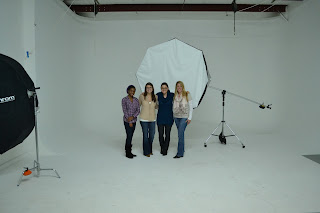
To create the Bokeh Effect Joy has a paper seamless background then the lights a foot in front then my subject 5 feet in front of the lights, window light on the left reflector on the right. She used a photovision taget to custom white balance and shot at around F1.8- 2 using a 85 1.2 lens.

Now I do not have a fancy studio to take my pictures so we just started playing with the aperture and the  distance between the subject and lights.

And here is my favorite one we got of Sterling and the Christmas lights. Just when we got back from Canada IHeart Faces threw out this lovely challenge. So we entered here.

May all your  Christmas's be bright!!

Pin It!

IHeartFaces Bokeh Photo Challenge


This photo was entered into the I Heart Faces photo challenge – www.iheartfaces.com


Pin It!

Monday, November 28, 2011

My new passion that makes me go Hmmmm

Nikon D3100 F/4.0 ISO 1600 SS 1/50 18MM
I took a class at Charleston Photography Center on a Saturday Seminar. It was an intro to Digital Photography. I was nervous and excited at the same  time. It was the  1st time leaving my little  man all day too. He  did great  but I missed him so much. Our instructor  was Kenny McKeithan. When I walked into class I was surprised to see my friend Ginny there! and she brought a girlfriend of hers.
Butcher and Bee
We ate lunch at the cutest little  place downtown. I had never heard of it but it was yummy.

Here is a little bit of Photography that  I learned...
ISO Play -- the more the ISO the more the light that  is let into the lens. My husband will not  be happy that I am using  him as a subject.

Nikon D3100 F/7.10 ISO 100 SS 1/4 sec 42mm
Nikon D3100 F/7.10 ISO 3200 SS 1/100 sec 42mm
Light  Source Play - this is the White Balance. You can make your pictures look cooler to warmer by adjusting the white balance. Also helps to photograph in each light setting.
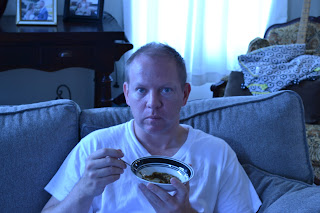
Nikon D3100 F/7.10 ISO 400 SS 1/13 sec 42mm WB Tungsten
Nikon D3100 F/7.10 ISO 400 SS 1/13 sec 42mm WB Shade
The Shade white balance and cloudy give the best  tone colors to persons in photos.

Photoshop Play
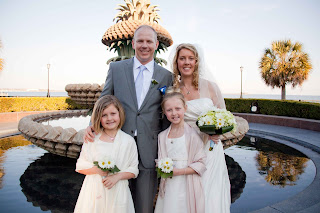
Canon EOS 50D F/3.5 ISO 100 SS 1/640 sec 18mm WB Auto
Canon EOS 50D F/4.5 ISO 200 SS 1/60 sec 35mm WB Auto

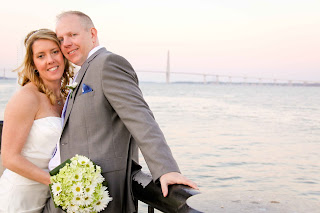
Notice the  swirl in our background. This is what I would  love to learn how to do. Slowly but surely I will get  there. Thank you again to Katie  Moore who took our wedding  photos! Here are more from Katie...

Canon EOS 50D F/5.6 ISO 320 SS 1/125 sec 90mm WB Auto
Notice how I am blurry in the background?? That is the lower Aperture F/5.6 that creates this effect.

Canon EOS 50D F/6.3 ISO 100 SS 1/200 sec 120mm WB Auto
Again she created the swirled background using Photoshop Lightroom. I am currently using the Photoshop Elements 10 free download to get my feet wet before I dump a bunch of  $ on a new software program.


Now  that I have  new found love of photography  with knowledge to back it up, I feel worse than before I started. Why can't I just  take  all my pictures in AUTO??? Here is to more practice.
Pin It!

Wednesday, November 9, 2011

Photobooth Trial Run


Can't wait for all the cousins to get together and play with these!!!
Pin It!
Related Posts Plugin for WordPress, Blogger...